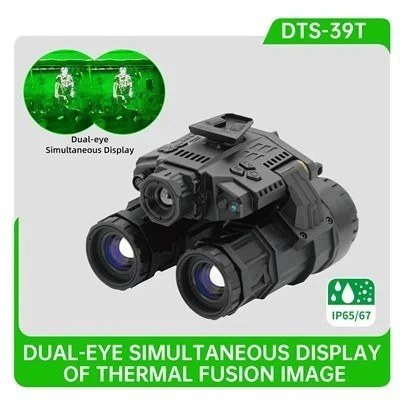
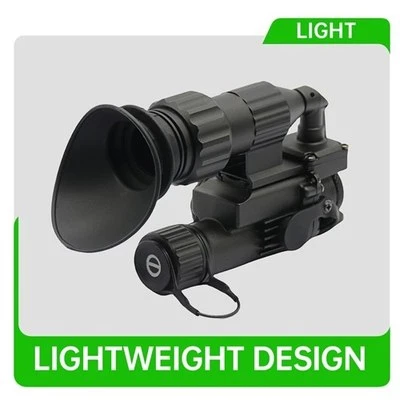
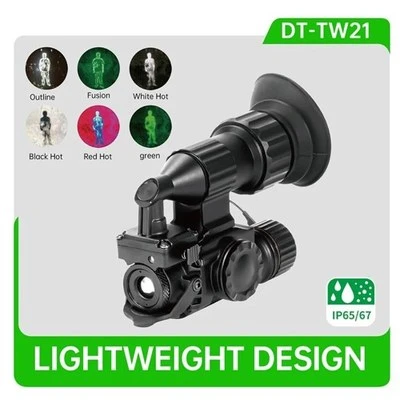
Use the eyepiece when a guide needs an independent handheld view and the audience can take turns. Use a shared screen when the point is to let a group see the same image and follow the explanation at the same time. The screen option needs a verified output path, an actual viewing position and a fallback that works when the feed is not available. A listing for a handheld monocular does not establish that it can share live video.
Start with the guide and audience. Here is what the decision between a shared thermal screen and an eyepiece changes for each. Detyl publishes a compact thermal monocular listing. Ask for the exact model, available output modes and compatible viewing equipment. A portable handset view, a display for an indoor group and a saved clip all answer different needs. Buy the configuration demonstrated for the intended activity.
Run one ordinary guided activityPut the group in its actual viewing positions and verify the output path.
Detyl compact thermal monocular · Detyl product support and company overview
Write the guide's first five minutes into the trial
Think about a small group arriving at a designated observation spot. Someone must introduce the scene, point out the relevant part of the image and keep track of the group. Through an eyepiece, images are seen one person at a time. That can work well when a guide can directly coach people. It can be slow if everyone needs to see a brief change before it passes. A shared screen can make the explanation simultaneous if the view is actually visible to people in their normal positions.
Decide who handles the device throughout the session. With direct viewing, the guide may pass the viewer under the site's handling procedure or keep it while participants take individual looks. With a screen, another person may have to check the display, place it where it is comfortable to view or manage an approved connection. Ask whether the standard session actually has two staff members. Buying a setup that requires a second person can change the real cost of the program.
Run the exercise from a safe, permitted site using a known reference that does not disturb animals or disclose their locations. A guide can point out a fixed feature and ask participants to find it, then repeat with the other setup. Record whether regular instructions are enough to get the visitors oriented. Use age-appropriate supervision and the nature center's access conditions. The purpose is to see whether the equipment supports interpretation in that setting.
Confirm how the thermal image reaches the viewer
| Option | What to verify on the sample | What can matter at the center |
|---|---|---|
| Direct eyepiece | Exact viewing controls, comfort and handling under supervision | Each person has an individual view |
| Nearby tablet or monitor | Supported live output path, exact hardware and software | Guide and audience can potentially share one scene |
| Recorded clip | Capture, export, playback and media access policy | Repeatable interpretation without relying on a live feed |
| Fallback | The approved alternative after loss of feed or power | A guide can finish an activity without changing the program's purpose |
Ask whether the offered unit has documented live output and how the manufacturer supports it. Get the exact app, display or connection requirement rather than assuming that a USB port or wireless function carries live imagery. For example, Teledyne FLIR's public app information illustrates that supported devices and functions are model-dependent. That does not demonstrate that a Detyl model uses the same method or has the same feature. Verify the actual build and accessories on the quotation.
Keep presentation and recording separately authorized. A feed might let staff share a view without saving it. If the center needs a clip, ask whether capture is available in that same setup and what permission applies. Agree how to avoid collecting incidental identifiable information about visitors and sensitive wildlife locations. The center can use records from a controlled reference scene to review the equipment without retaining footage of an audience.

Put the audience where it actually stands
Screen brightness, viewing angle, ambient light and room space can affect whether a shared image is useful. Show the buyer where the display will sit and the areas where people will stand. In daytime it may be viewed with glare; in an indoor teaching space the concern could be contrast from the rear. Check whether the guide can point out the intended feature without blocking the display. For the eyepiece, note whether adjustments and the handling sequence work for the people approved to use it.
Ask a second guide to run the same exercise using the written instructions. Track the time from getting the unit out to first meaningful viewing, using the same allowed activities for both arrangements. This is a practical walkthrough, not a speed claim for a product. If the two setups require different staff or accessories, give each one a separate price line. A purchasing choice may turn on whether the center can maintain the setup through ordinary programs.
Compare live view and the shared view using a known stationary reference. Note any delay, loss of image or difference in framing that affected the explanation. If transmission is involved, ask the supplier what it requires in the actual environment and how normal interruptions are handled. Evaluate where staff can see an alert and whether they can safely continue with the approved fallback. A device should not rely on a visitor's network or equipment unless the operating plan explicitly allows it.
Plan a graceful end if the feed stops
Tell the guide what to do under the site's approved procedure when an image is interrupted. An eyepiece view or a previously approved example clip may still let the planned lesson continue. Agree who can choose the alternative. If the setup depends on a display or another powered device, include its ordinary charging and maintenance needs. A spare part is useful only if staff can identify it and are authorized to use it.
Check whether the center needs to hand over the equipment to another guide midway through the day. A complete handover includes the sample identity, relevant accessories, normal viewing method, and the state in which the group left it. If the trial produces a useful saved reference, ask how it will be stored and kept available to approved staff. Keep the version of any required app and operating system in the record.
Illustrative scenario: the morning group is small and each person can take a turn using supervised direct viewing. The afternoon group needs to see the same reference together inside a classroom. A documented shared option might suit the afternoon, while the morning can stay with an eyepiece. The example shows why one order can need two operating patterns and why a single live-output feature claim does not settle both.
Return a purchase sheet that matches the actual program
List the proposed model, interface, accessories and conditions from the demonstration. Identify who provides the screen or tablet and who owns upkeep. Ask which exact product variant and output the supplier can document. A quotation for demonstration accessories should distinguish them from equipment included in the standard package. If support is available only for certain versions, put the boundary on the decision record.
Set the acceptance test for a new delivery against the intended use. A known reference and two or three observations may be sufficient to check the delivered configuration. Keep the authorized conditions, result and ownership with the equipment identity. The goal is for a different guide to repeat the lesson and understand what changes if the screen option becomes unavailable.
Test the handoff between the guide and the audience
Pick a short activity in which the guide identifies a known point and asks the audience to describe what it can see. In the direct-view case, note how participants wait and whether each person receives the same explanation. In the screen case, watch the farthest expected seat and the position at the side of the group. If the device view is visible only from one place, log that as a setup limit. Count accessibility and ordinary staff availability as parts of the operating arrangement.
Try starting the next approved session without resetting everything for the second guide. A useful handover should explain which items are connected or charged, which view is intended and when to use a separate approved clip. If a screen arrangement needs a specialist every time, the center may prefer direct viewing for everyday groups and reserve shared output for scheduled classroom use. Let the actual staffing and program needs, rather than a single feature label, set that boundary.
Document the approved viewing conditions with a simple floor or site sketch. Put the display, guide and normal audience positions on it. The sketch should help staff reproduce the result without retaining identifiable visitor images. If a portable setup needs a stand or cover to work at that location, include it in the quote.
Questions for nature center staff
Does a handheld monocular always have a live feed?
Ask for the exact variant and supported output. Do not infer this from a connector or a recording option.
Can an ordinary tablet be used for viewing?
Ask which hardware, operating system and app are supported. Try the intended device and approved connection.
What should the audience test involve?
Use a lawful, controlled scene and see whether visitors can locate the same reference from their planned places.
Does recording replace testing the live feed?
Evaluate both outputs where they matter. They may have different framing, timing and available controls.
What does a fallback plan need?
Identify the alternate activity, available equipment and responsible guide. Confirm it can be used under the center's procedures.
What should a supplier confirm in writing?
Ask for the model and output support, required accessories, limits, and how the offered configuration matches the demonstrated setup.
Request a nature center viewing sample
Send Detyl the example group size, approved setting, intended display and fallback. Ask for the exact handheld model and documentation for the outputs you plan to use.