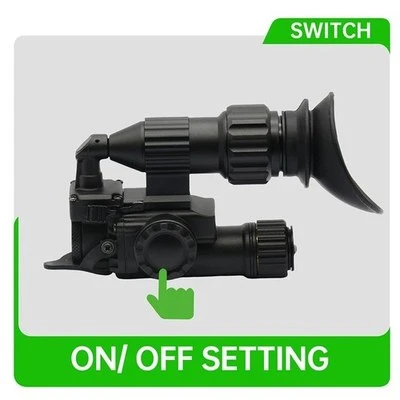
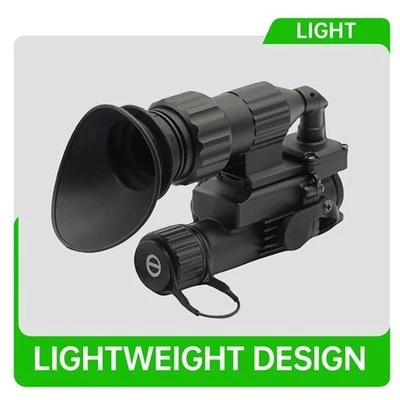
A thermal monocular diopter adjustment changes how the viewer sees the internal display through the eyepiece. It can help an observer bring display details into focus for their eyesight. A separate objective focus, if present on the exact device, affects how scene detail is captured. Check both controls using the model's instructions before deciding an observation sample has an image-quality problem.
Detyl lists a multifunction thermal imager with a handheld configuration. Confirm the exact supplied arrangement and operating instructions. For a civilian nature center or other authorized observation venue, the sample check can use a stationary reference and the device's ordinary display information. Record what the reviewer could see and under which settings.
Record eyepiece clarity separately from the observed scene detail.

Detyl multifunction thermal imager · Detyl thermal monocular range
Begin with a display detail you can identify
Choose a fixed symbol or display text provided by the unit and follow the supplier's approved setup. Ask each observer to report whether that detail appears clear while using the normal viewing position. Keep the viewing arrangement and the observer's usual corrective eyewear consistent where relevant. A display detail is useful because it can be assessed without relying on a changing scene.
Treat eyepiece clarity as a specific observation. A suitable report might say the menu is clear at a certain documented setting, while the scene lacks detail at the chosen viewing position. That gives the training lead enough information to distinguish the questions. Avoid diagnosing the reason from a single impression.
Check scene observation in its own step
Use a safe fixed reference at the venue, without using people or wildlife as test subjects. Record the viewing position, settings and scene. Check any applicable objective control only according to the sample instructions. Hold the basic display configuration consistent and note when a palette or zoom setting changes. Settings changed in the middle of a comparison make it harder to understand why a scene looked different.
| Trial observation | Main question | Record alongside it |
|---|---|---|
| Display symbol | Can the reviewer read the internal detail? | Eyepiece condition and viewing arrangement |
| Stationary scene | Can the intended feature be distinguished? | Conditions, reference and applicable focus setting |
| Shared use | Can the next observer establish their view? | Staff instructions and allowed adjustment |
| Unexpected result | Which observation was affected? | Sample, settings and supplier question |
If a second observer sees the display differently, record each person's result. The program may require a shared device that staff can adjust quickly for another visitor. Test the reset or handover instructions with ordinary staff and record any confusing label. A good demonstration process gives users consistent instructions and allows for individual adjustment within the product's documented range.
Escalate an unresolved result with precise evidence
If one reviewer cannot establish a clear display under the instructions, identify sample, viewing arrangement and adjustments attempted. If several reviewers report the same issue, preserve their actual observations and ask Detyl for the appropriate next check. Avoid disassembling or modifying the sample. A later inspection should be able to reproduce the complaint from the record.
Try another documented sample only when available and under comparable conditions. Keep the results distinct. An acceptance reviewer may decide that clear reading of the display and correct operation of the controls are required checks, while scene performance is evaluated separately.
Include what a visitor will actually do
A nature center may lend a single viewer to two successive visitors. The first wears their usual glasses and can read the display as soon as they look. The second sees a soft symbol at the same initial setting. Log both observations under the same sample. Ask staff to follow the adjustment instructions with each participant, then confirm that the next setup starts in the documented condition.
Record any difficulty related to reaching the control or recognizing its marking. A setting can be technically suitable and still be hard to explain in a brief demonstration. Put the authorized action in the staff guide and use a recognizable display symbol. Keep the trial at a fixed station to avoid changes in the observation scene being attributed to the eyepiece.
Use the two observations to organize a supplier query
If symbols are clear while scene detail looks soft, check the model's other applicable controls and conditions under its instructions. Look at the same reference and retain the actual settings. A clean menu and an indistinct object help narrow what staff should report. A menu that remains difficult to read supports a different supplier question. Use the exact sample ID and preserve both results.
A second observer can verify the reported behavior, with their own viewing arrangement documented. Avoid pooling different personal observations into a performance number. If the organization uses a pass rule, define the expected task and procedure in advance. Keep adjustment range claims tied to the product documentation rather than guessed from the position of a ring.
A short acceptance note can identify the model, viewing task, normal setup and resolution of any discrepancy. Include appropriate handling and approved care instructions from Detyl. The next member of staff should be able to find the applicable operating guide without relying on a product photograph or the first tester's memory.
For the sample review, choose an internal display detail whose expected appearance is clear in the user instructions. The viewer can record whether they could read it without describing their personal prescription. Keep the same display brightness setting unless the approved trial intentionally varies it. A visitor who tries several controls in quick succession may provide a real observation, but it will be difficult to trace which action affected it. Capture the order of adjustment with the aid of the operator guide.
Compare two consecutive visitors on the same unit where that reflects the intended service. Have the first observer finish in their accepted viewing position. The staff member then hands the unit to the second observer using the documented routine. Record whether the configuration was recognizable and whether further assistance was required. If the reviewer uses glasses, preserve that practical condition without collecting unnecessary medical information. If staff return the unit to a documented default, record how they recognize the default.
Some reported issues belong to different reviews. A poorly readable menu might be a viewing or display complaint. An apparently incomplete view may relate to the user's position or the particular accessory. A scene that appears flat can be recorded alongside the selected setting and the fixed reference. Send the supplier the actual description instead of asserting an internal cause. Keep environmental observations and handling limits separate from the results of the diopter check.
If the buyer requests a training note, have a colleague follow it using the actual sample and supplied manual. Use named controls from that manual, include the display detail chosen for the check and identify the conditions under which the reference can be repeated. Leave open any operating point the supplier has not confirmed. Saving an accepted note alongside the sample ID helps the next venue compare its own unit and avoids copying another model's adjustment range.
During buyer evaluation, consider what staff need to identify the control under ordinary venue lighting. The guide should show the relevant control name and ask the staff member to follow the actual manufacturer instructions. Observe whether the user can return to the selected display symbol or needs help finding the menu. A challenge in the operating sequence can be documented and resolved without diagnosing an optical fault. If the model has several physical configurations, keep the hand-held arrangement identifiable in the record.
For repeat evaluation, use the same reference, viewing position and approved setup. Record if a different reviewer or accessory was used. Choose an ordinary detail on the display and separately identify one scene feature that staff expect to describe. When the two results differ, write both down. The supplier can then respond to the exact behavior. Ask the reviewer to preserve a short note about the sequence of adjustments, particularly if a change to brightness or magnification occurred during the trial.
When a new unit is delivered, have staff compare the sample identity and applicable instructions before assuming an earlier setup guide still applies. If the customer bought a different variant, request the corresponding range or control information. Keep review conditions and observer notes qualitative unless the approved test specifies a defined measurement. This helps a civilian demonstration team communicate what was observed and who can reproduce it.
Include an observer note that records what was actually clear. A phrase such as "the battery symbol was readable from the normal viewing position" provides more detail than a checkbox combined with a general comfort score. Staff can record difficulty with another part of the experience separately and submit the relevant sample information. If a written guide is updated, verify its names and sequence with another qualified person following the current product instructions. Retaining the accepted operating notes helps buyers responsible for a shared civilian demonstration identify which configuration and behavior they approved.
Handheld viewing questions
Does a diopter change the device's thermal sensitivity?
The eyepiece adjustment concerns the view of the display. Review thermal performance using model-specific data and an appropriate observation test.
What should be used to judge display clarity?
Follow the instructions and choose a stable display symbol or menu item that ordinary reviewers can recognize.
Is objective focus the same adjustment?
Where the unit has a separate objective adjustment, follow its instructions and record that check separately from display viewing.
Can two observers use different settings?
Yes. Identify each observation and adjustment. A shared demonstration should include a clear handover routine.
Should eyewear be recorded?
When it is relevant to the viewing arrangement, record it in practical terms without collecting unnecessary personal details.
What evidence helps diagnose a complaint?
Send the exact sample, symptoms, relevant settings, viewing arrangement and whether the issue concerns internal display detail or the scene.
Plan a handheld observation sample check
Send Detyl the intended civilian use, supplied sample configuration and expected viewing workflow. Ask for the exact operating instructions and adjustment scope.